

For every business that runs on shifts

The shift schedule your team actually sees

Build the week in five minutes. Your staff get their shifts on their phone — by email link, Telegram or text. No app store, no passwords, no forty-message group chat.

14 days free. No card needed.

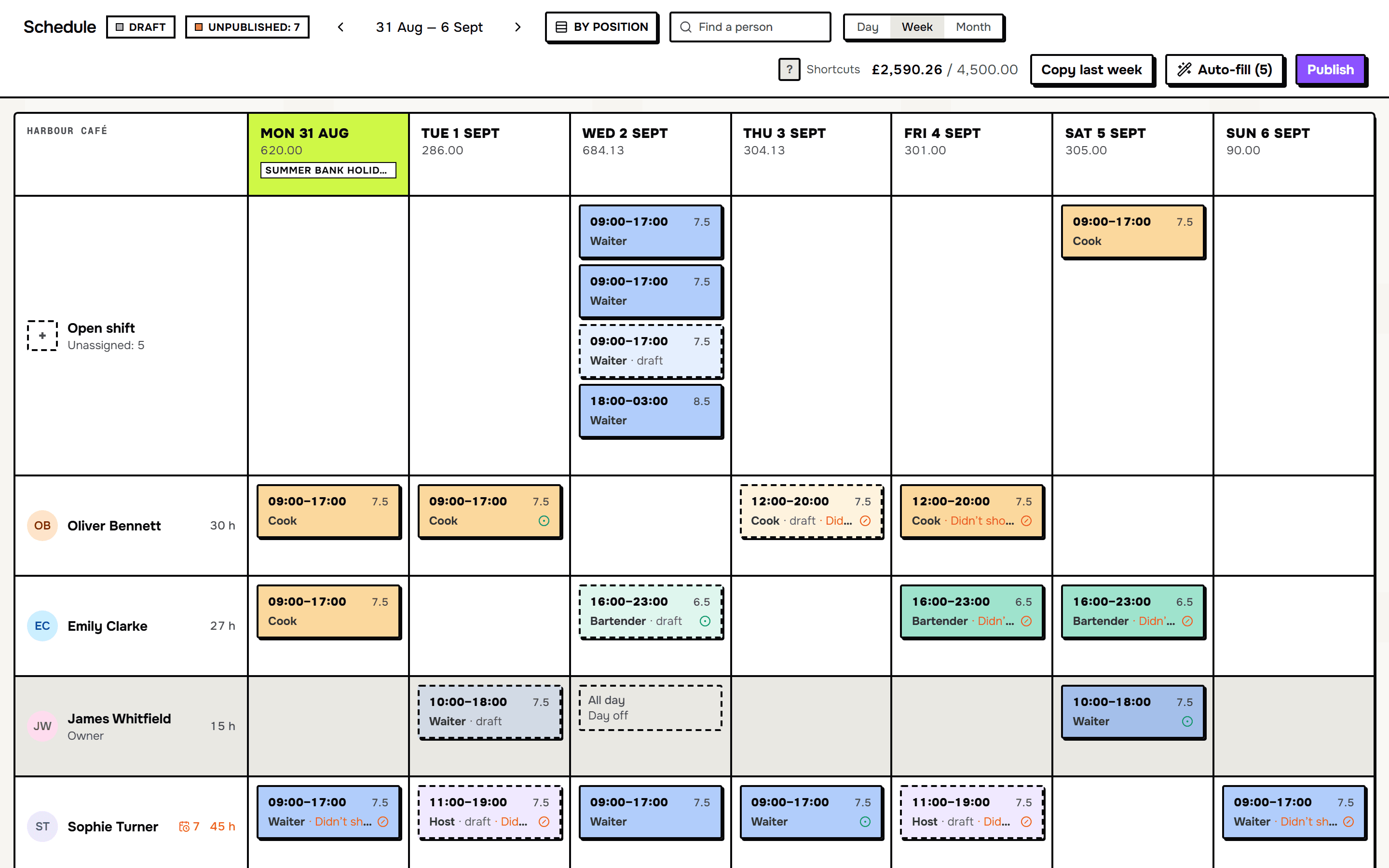
The whole week on one screen

Sound familiar?

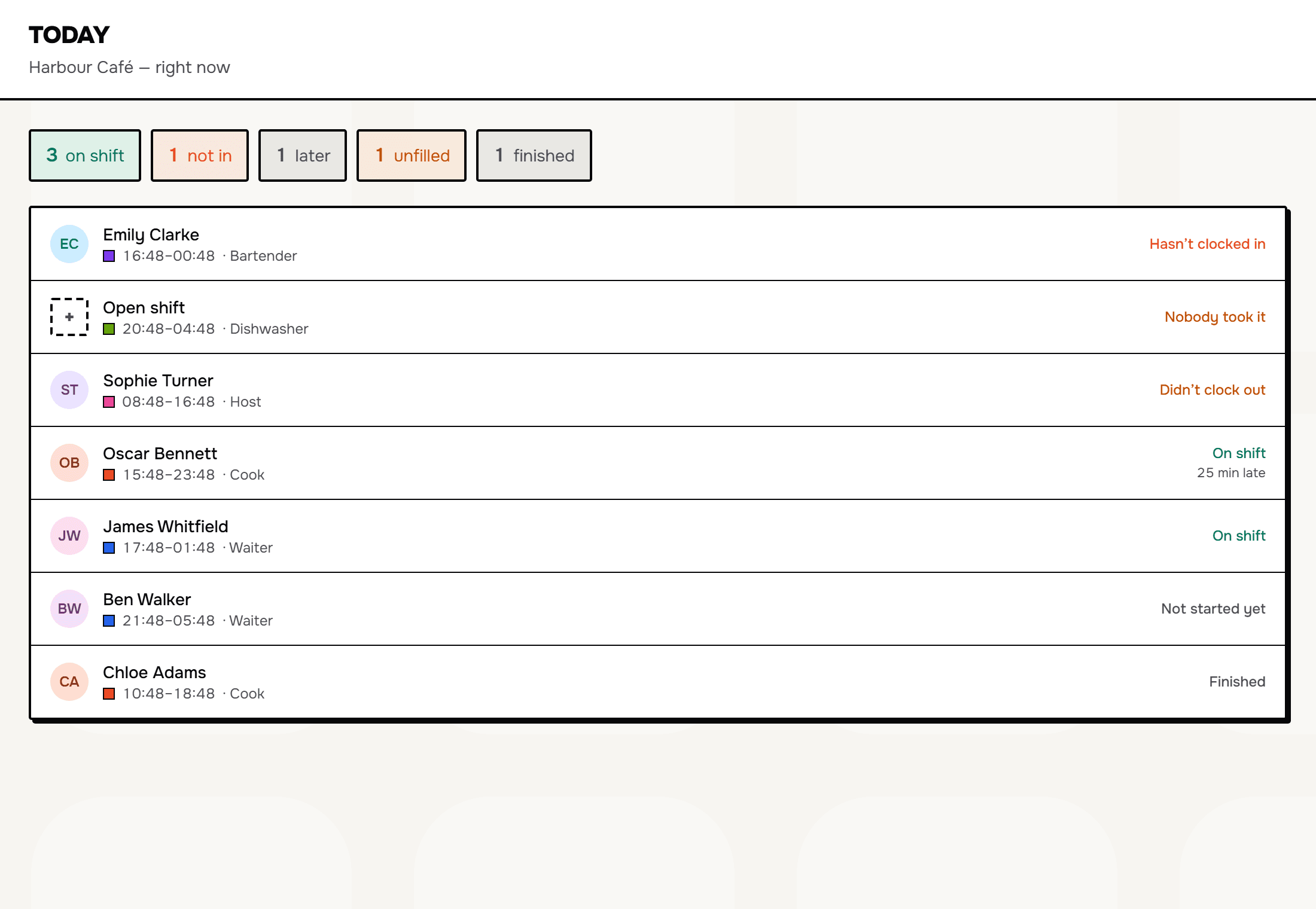
"Is everyone in?" — in a second
  1. 01

    The rota is in Excel, a photo goes to the group chat. Somebody never saw it.

  2. 02

    “Who can cover Saturday?” — forty messages and no answer.

  3. 03

    Someone doesn’t show up — you ring six people until one says yes.

  4. 04

    At the end of the month you count hours by hand and argue about who worked what.

Before and after

Excel, a printout on the wall, a notebook by the till — all of it works while there are few shifts and everyone is in sight. Navbat7 takes that same work off your hands.

How it usually goes

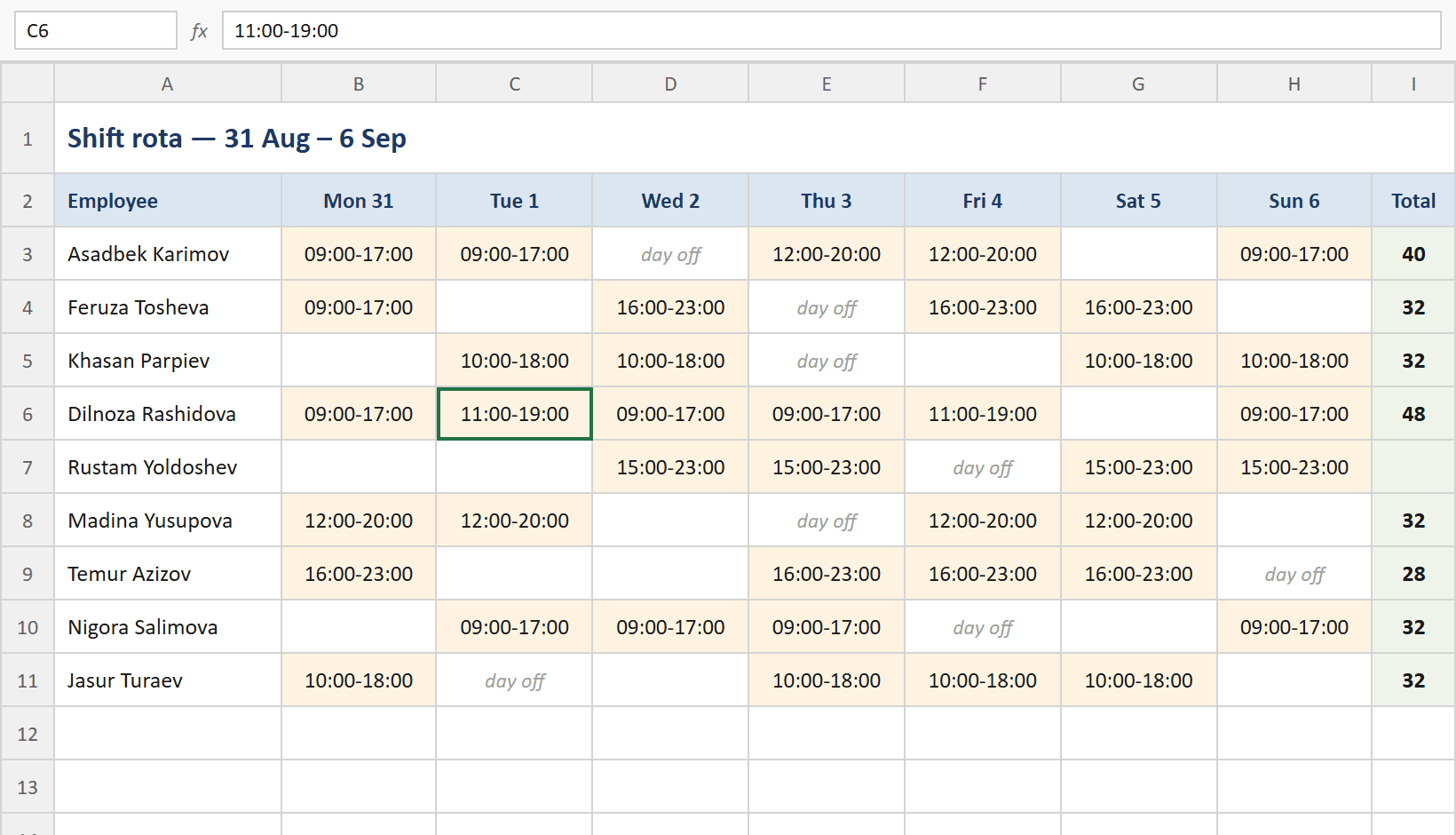
A shift schedule in an Excel spreadsheet
The spreadsheet
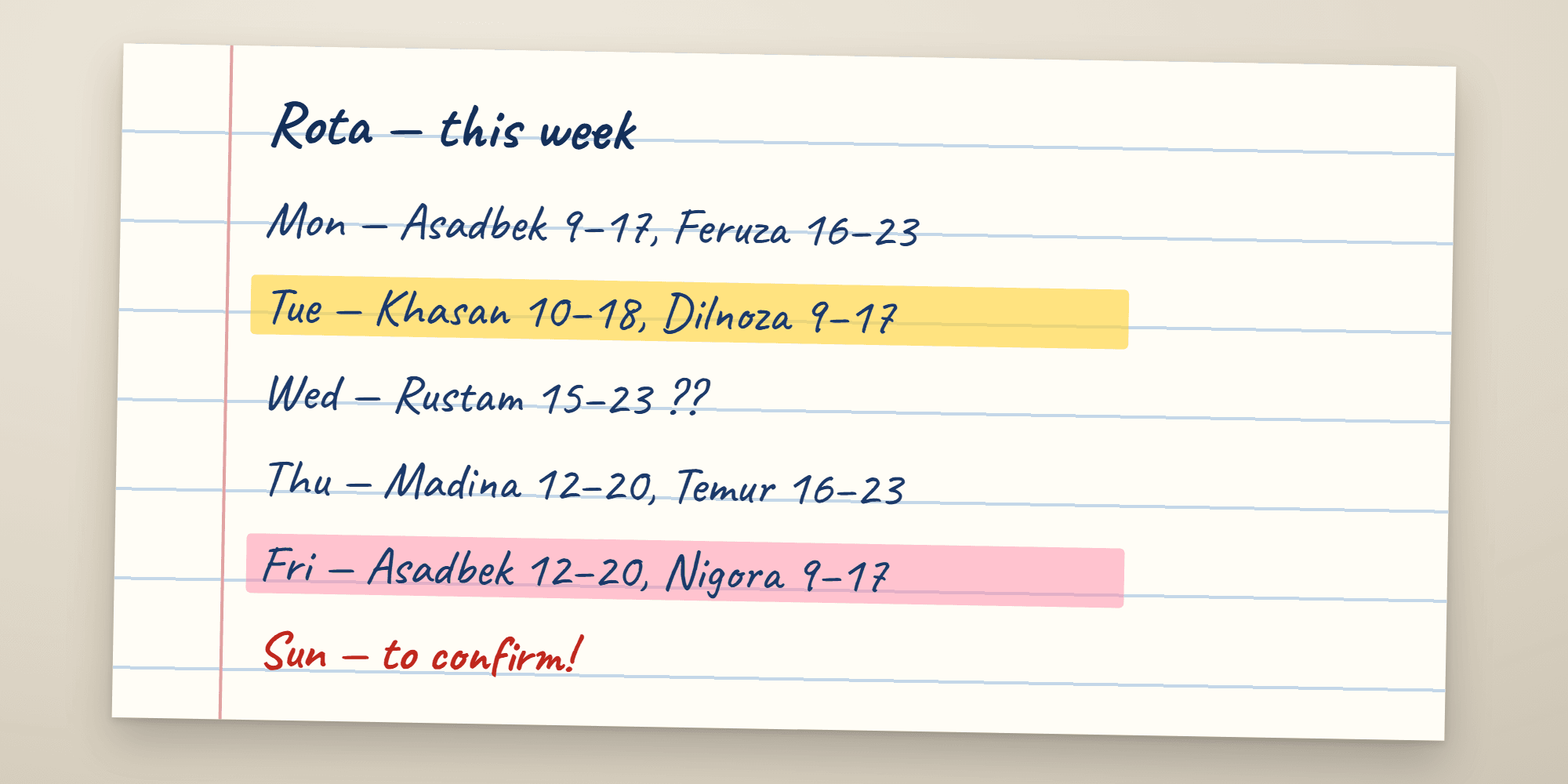
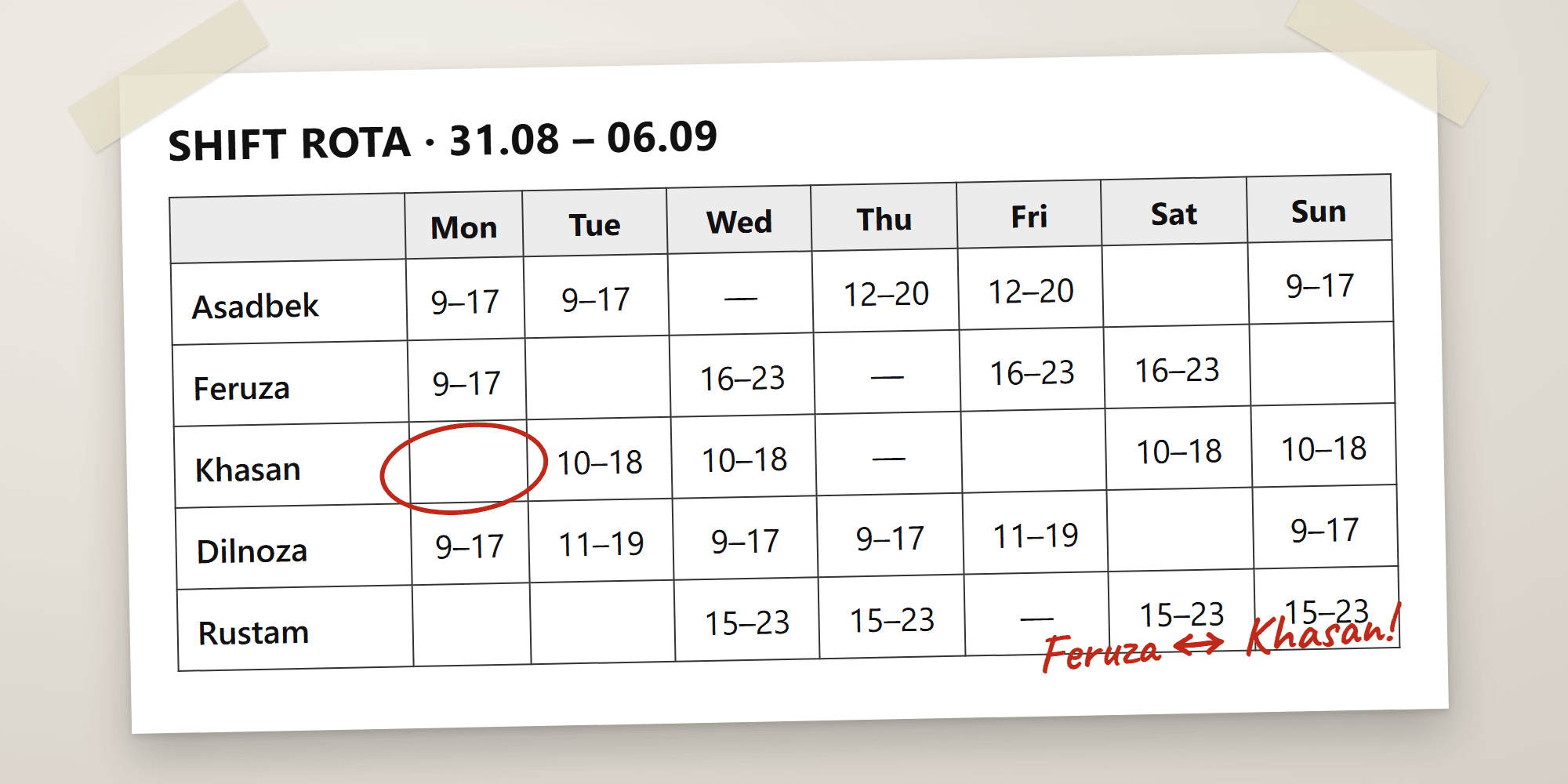
A week’s schedule written by hand
The handwritten week
A printed schedule taped to the wall
The printout on the wall

With Navbat7

With Navbat7
  • The schedule lives in one file on one computer.
  • The schedule opens on a phone and a laptop, always the latest version.
  • A screenshot in the group chat: someone missed it, someone’s looking at last week.
  • You publish — and everyone gets their own shifts on their phone.
  • You find cover yourself: forty messages and a round of calls.
  • The employee asks for cover; you approve with one tap.
  • At the end of the month you count hours by hand and argue about the numbers.
  • Hours and cost add themselves up; export to Excel.

How it works

01

Build the week

Drag shifts with the mouse. Hours per person and the cost of each shift add up as you go, and overtime is flagged straight away.

Build the week

02

Publish

One tap, and everyone gets their shifts on their phone — by email, Telegram or text, whichever they have. Nobody misses the schedule, because it arrives where they already are.

Publish

03

The rest mostly runs itself

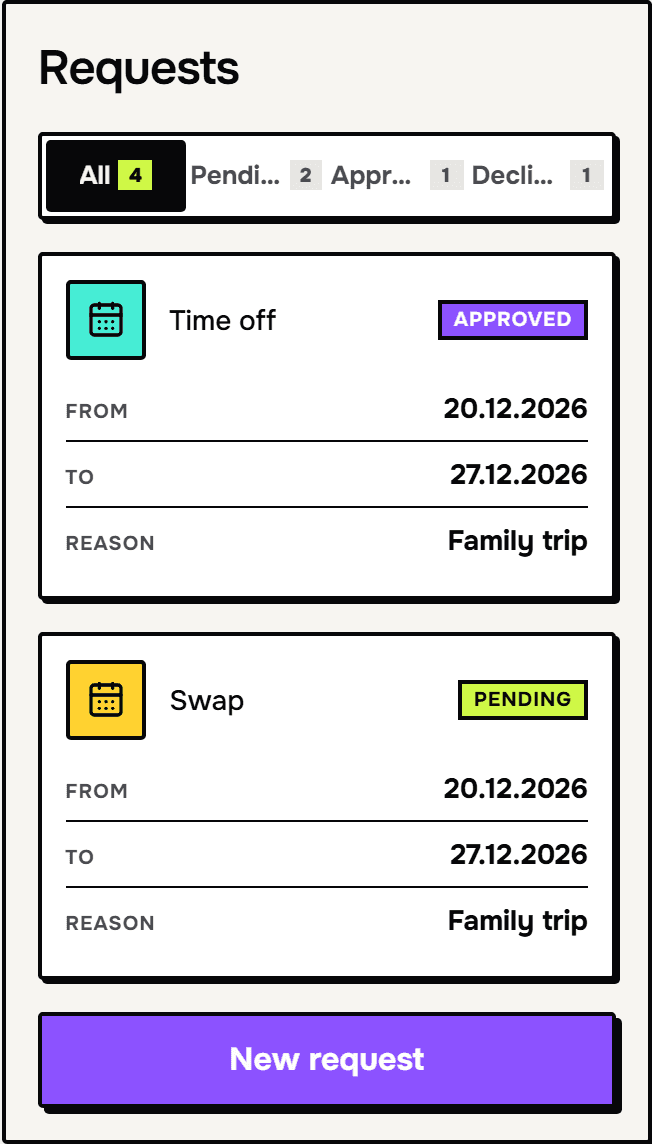
Swaps, time off and open shifts go through requests with a status and a history. You approve them from your phone, without opening a computer.

The rest mostly runs itself

What’s inside

Open shifts

Somebody’s ill? Send the shift to everyone who’s free and holds the position. First to tap gets it. Double-booking can’t happen — the database guarantees it.

  • Until it’s taken, the shift sits on the schedule as its own row
  • It can be claimed from a phone, without opening a computer
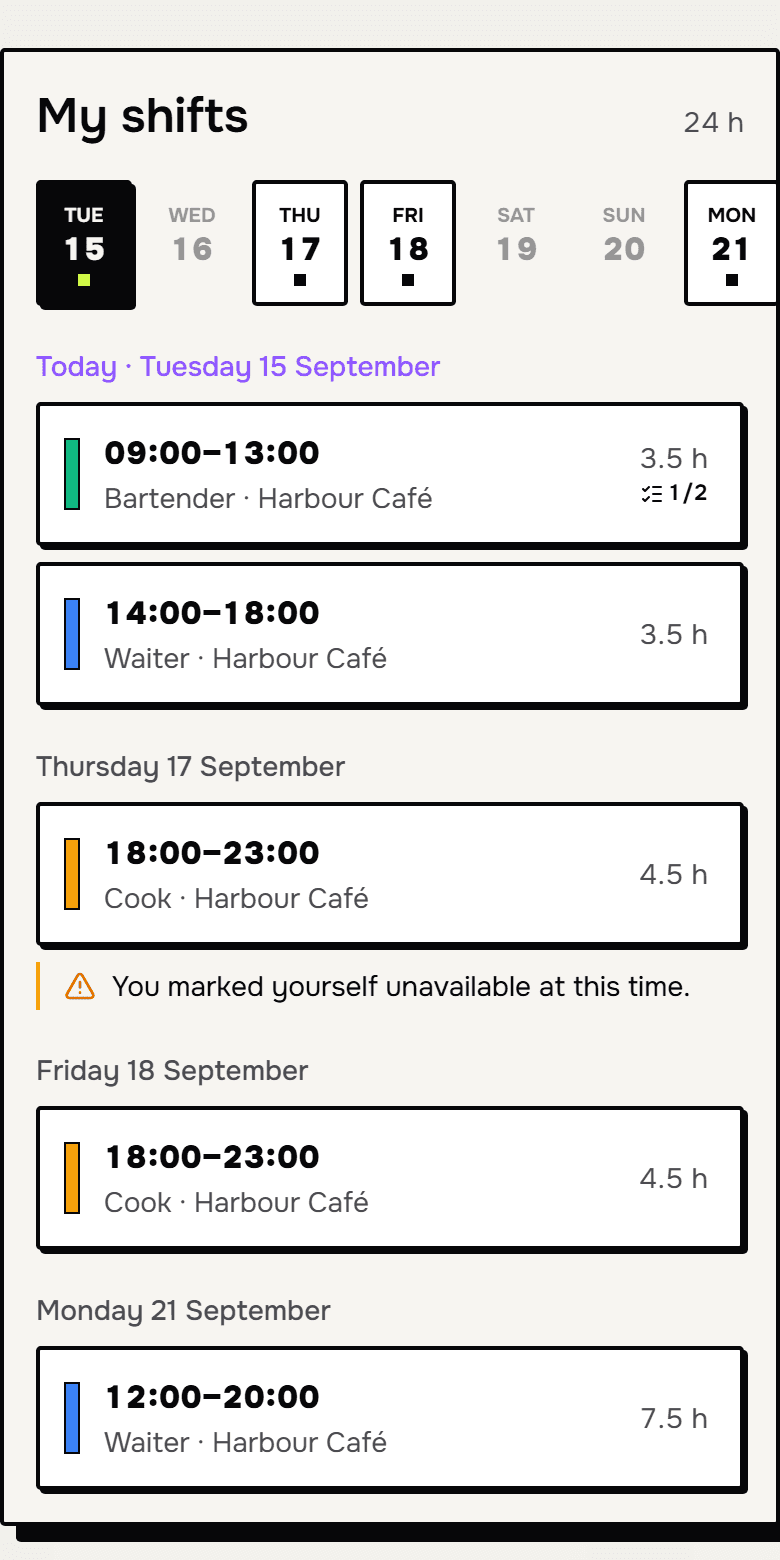
Nothing to install

An employee opens a link from their email — or Telegram, if they have it — and is in the system seconds later. It installs to the home screen like an app; there is no app store and no password.

  • Shifts, open shifts, swaps, clock-in and profile — in one window
  • Works on any phone, in the language the person chose

Swaps and time off

A request instead of a thread. Each one has a status, a history and a trail in the activity log: who asked, who agreed, who approved.

  • A swap doesn’t happen without the other side’s consent
  • An undecided request expires after 48 hours

Hours and labour cost

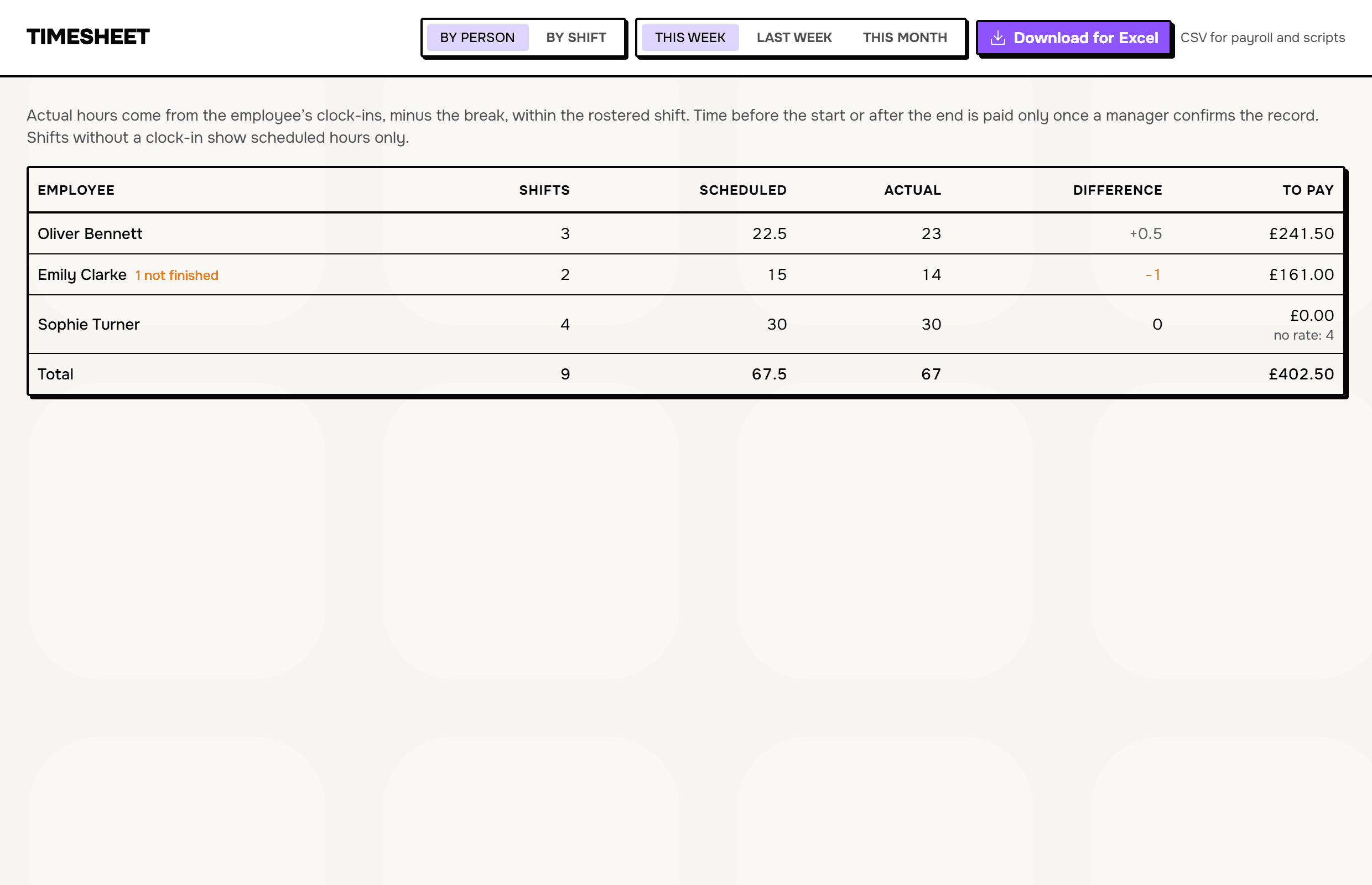
Hours per person and the cost of the week are right there on the schedule — while you’re building it, not after.

  • Overtime and too-short rest are visible before you publish
  • Export to Excel — for the accountant and payroll

English, Russian and Uzbek

The manager reads in one language, the employee in another. One schedule, and every notification arrives in the reader’s own language.

  • Dates, money and the clock follow the business’s country — “5 PM” in Ohio, “17:00” in Leeds
  • Everyone picks their own language in their profile

Your country’s calendar

Public holidays for twenty countries, the week starting on Sunday where it does, overtime flagged after your working week, and pay counted in your currency.

  • Holiday and night premiums where the law sets them, and off where it doesn’t
  • A paid-leave balance per person, counted the way your country counts it

The time clock

Staff clock in from their phone, or on a tablet by the door with a PIN. The timesheet shows where they were, how long they took for lunch, and — if you switch it on — a picture at each punch.

  • Clock in on site only, per venue, when you want it enforced
  • Breaks punched, not assumed; a long lunch costs what it took
  • A nudge to whoever forgot to clock in, and to whoever forgot to clock out

Reports, and the Monday email

Hours, overtime, labour cost against budget, who was late, who left early, who didn’t show — by person, position and day. And every Monday morning, last week in one message.

  • Any date range; export for the accountant
  • Absences on a month grid, with the leave balance beside each name

Chat and announcements

One message to everyone that you want read, held until morning unless it’s urgent. And a chat next to the rota — a room per venue — so “who can cover Saturday?” gets an answer, not forty messages.

  • Read counts on announcements
  • Quiet hours: nothing buzzes between 23:00 and 8:00 unless you say so

Built to be trusted with your team’s data

A rota is a list of who your staff are, what they earn and when they’re at work. We treat it that way.

01

Two-step verification

An authenticator code after the password, for every manager. A stolen password alone opens nothing.

02

Your data in the EU

Stored in a data centre in the European Union, encrypted in transit and at rest with AES-256.

03

Every business sealed off

Access rules live in the database itself and are checked on every request — not in the app, where a bug could forget. One customer’s data is never in another’s query.

04

As little as possible

A clock-in keeps the distance to the venue, never the coordinates. Terminal photos live 30 days in private storage. Any person’s data can be exported in one press.

05

Nobody marks their own homework

No one approves their own request or confirms their own hours. Every change — who published, who approved, who corrected which hours — is in the activity log for two years.

06

GDPR, UK GDPR, and a DPA

A Data Processing Agreement with the EU Standard Contractual Clauses is part of the terms; the sub-processors are listed. Nothing to sign, nothing to chase.

What it looks like

Screenshots from the product, not mockups.

01 / 04

The whole week on one screen

Drag shifts between people and days. The week’s cost adds up live; overtime and conflicts are flagged before you publish, not after. Managers are tinted, today is marked.

The whole week on one screen

Simple pricing

Pay for the size, not for the checkboxes

14 days free, no card needed. Monthly or yearly; cancel any time.

Start

One venue and a small team

$19

per month, plus tax where it applies

or $190 a year — two months free

Recommended

Pro

One venue, as many people as you like

$49

per month, plus tax where it applies

or $490 a year — two months free

Network

A chain of venues under one account

$99

per month, plus tax where it applies

or $990 a year — two months free

3 venues included, then $25 a month each

What’s included

Every feature is in every plan. Only the size differs: how many venues and how many people.

StartProNetwork
Venues113
Employees15unlimitedunlimited
Shift schedule and open shifts
A staff app on any phone — email, Telegram or text
Swaps, time off and requests
Hours, labour cost and Excel export
Holidays, overtime and currency for twenty countries
English, Russian and Uzbek
Time clock: phone and terminal, breaks, photos
Two-step verification, audit log, EU hosting
Card payments are handled by Paddle, our merchant of record. Sales tax or VAT is added at checkout where it applies.

Try it on your own business

Set up a week’s schedule and send your staff the link. Everything is visible from there.